Third party API integration for MLM software

Your platforms.
Working together.
Business, connected.

Connect customer conversations, online orders, business information, and deliveries. Give your team a clearer workflow with less repeated manual work.

  • Purposeful connections
  • Practical automation
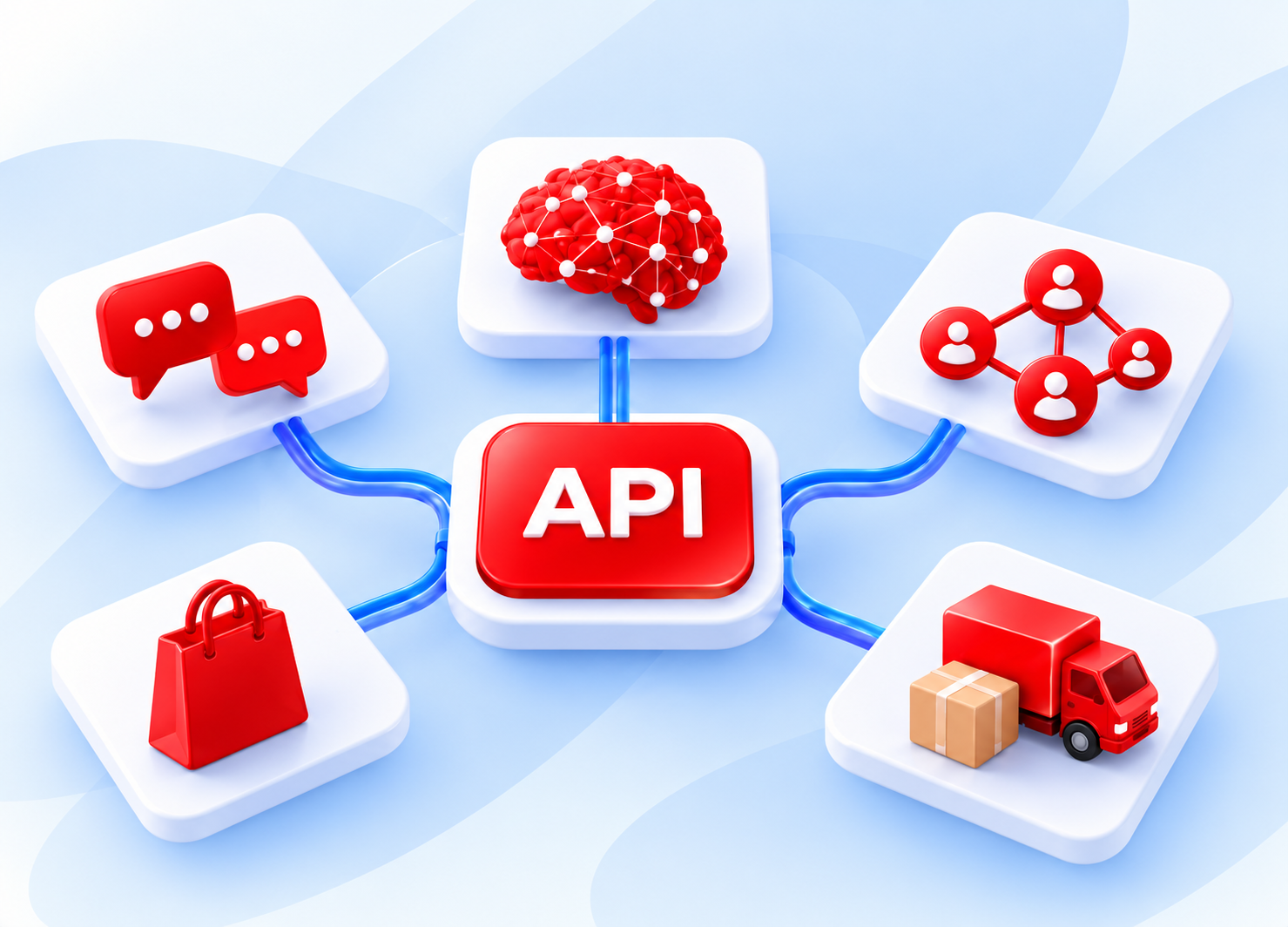
An API hub linked to digital messaging, artificial intelligence, social networks, marketplace, and logistics icons
A connected foundation

Less copying.
Clearer information.
More useful connections.

Third party integration enables your MLM software to exchange information with other applications and services, commonly through an API.

Separate tools often mean repeated data entry, duplicate records, and delayed updates. A well-planned connection can bring selected activities into a coordinated workflow.

Define what information is shared, which system controls it, when updates occur, and how errors are handled. Some connections update immediately; others follow a schedule.

Integration possibilities

Connect the services
your business relies on.

Start with a business process that needs improvement. Each connection should solve a practical problem and be supported by the relevant platform.

01 / Customer communication

WhatsApp integration

Keep customers informed at the moments that matter.

Connect selected messaging activities with your MLM system through a supported business messaging service. Depending on the implementation, messages may support order confirmations, payment reminders, delivery updates, appointments, and customer enquiries.

Order confirmationsDelivery updatesCustomer enquiries

Example workflow: After an order is confirmed, a message can share its reference and next steps. A later delivery update helps the customer follow its progress.

The advantage

More convenient communication around important customer activities.

What to consider

Messaging costs, platform requirements, and excessive notifications can affect the experience.

Plan the connection: Prepare accurate contact details, appropriate customer permissions, approved messaging arrangements where required, and a clear handover to a person.

02 / Information and support

AI integration

Make approved information easier to find.

Help customers, distributors, and employees find information or complete selected tasks within a defined scope. Possible uses include answering common questions, explaining approved product information, and helping support teams prepare responses.

Product questionsDistributor supportApproved knowledge

Example workflow: An AI assistant could retrieve an order status through an authorised connection or explain a campaign using approved business materials.

The advantage

Faster access to routine information and support.

What to consider

AI can produce inaccurate answers. Reliable sources and ongoing evaluation remain essential.

Plan the connection: Define access permissions, review processes, escalation routes, and limits on the actions AI can perform. Important decisions may need human involvement.

03 / Marketing and follow-up

Social network integration

Connect customer interest with a clear next step.

Connect selected marketing and customer engagement activities with supported social platforms. Depending on platform access, integrations may capture enquiries, organise campaign responses, or direct users to product and registration pages.

Customer enquiriesCampaign responsesFollow-up

Example workflow: A permitted enquiry workflow can help a team follow up on interest generated by social content. Consistent campaign information also supports distributor communication.

The advantage

Better coordination between marketing activity and customer follow-up.

What to consider

Platform changes and access restrictions can interrupt existing connections.

Plan the connection: Plan around the intended audience and action. Assess the available permissions, data, and supported features for each proposed workflow.

04 / Online orders and inventory

Marketplace integration

Bring online orders into your business workflow.

Connect supported selling platforms with selected parts of your MLM operations. Possible functions include importing orders, updating product availability, transferring fulfilment information, and synchronising shipment status.

Order importsStock updatesFulfilment status

Example workflow: A marketplace order may enter the internal order-processing workflow, reducing the need to re-enter customer and product information.

The advantage

Less manual order processing across sales channels.

What to consider

Differences in product codes, promotions, fees, and return processes can create reconciliation problems.

Plan the connection: Define distributor attribution, pricing, returns, and commission eligibility before automating marketplace sales.

05 / Delivery management

Logistics partner integration

Keep dispatch and delivery information connected.

Connect order fulfilment with supported couriers and delivery services. Depending on the partner, the integration may create shipments, generate labels, retrieve tracking references, and receive delivery updates.

Shipment creationShipping labelsDelivery tracking

Example workflow: Tracking information can feed into customer support or messaging workflows, helping teams and customers understand delivery progress.

The advantage

More efficient shipment administration and better delivery visibility.

What to consider

Integration cannot prevent courier delays, failed deliveries, or inaccurate partner updates.

Plan the connection: Confirm service coverage, address requirements, shipment restrictions, and exception handling before launch.

From one action to the next

A more connected
order journey.

One order can involve several services. Defined data flows help those services exchange the information each step needs.

01 / MARKETPLACE

Order received

A supported sales channel passes the order information to your business system.

02 / MLM SOFTWARE

Order processed

Product records and operating rules guide the internal processing workflow.

03 / LOGISTICS

Shipment arranged

A compatible delivery partner returns a shipment reference and tracking updates.

04 / WHATSAPP

Customer informed

A permitted messaging workflow shares relevant order or delivery information.

Illustrative workflow, subject to supported APIs, permissions, and configuration. Exceptions may still need manual handling.

A practical implementation path

Start focused.
Connect with purpose.

Build confidence with a useful first connection, then expand when the workflow is reliable.

01 / IDENTIFY

Choose the problem

Find a measurable issue, such as repeated order entry or slow delivery updates. Select the connection most likely to address it.

02 / DEFINE

Map the requirements

Confirm compatibility, permissions, costs, and API functions. Define data fields, update timing, ownership rules, and error handling.

03 / TEST

Check real scenarios

Test normal transactions and exceptions, including cancellations, duplicate orders, missing information, and interrupted connections.

04 / IMPROVE

Launch and monitor

Start with a limited scope, train the responsible team, and monitor performance before adding more connections.

When to integrate

Is manual work
holding things up?

Prioritise a reliable connection that improves a daily process. More platforms add value when their connections remain useful and manageable.

  • Repeated data entry causes delays or duplicate records.
  • Growing order volumes put pressure on your team.
  • Customers need clearer order and delivery updates.
  • Information is difficult to find across separate systems.
  • Your team can support and monitor the new workflow.
Questions before you connect

Clarity for your
next integration.

Ten practical answers about third party integration for MLM software.

Discuss your requirements ↗
Can every platform connect to MLM software?

No. Compatibility depends on available APIs, permissions, technical requirements, and the intended workflow.

Does integration replace existing software?

Usually, it connects selected functions between systems. Replacement may be necessary if an existing system cannot support the required connection.

Can WhatsApp send automatic order updates?

Potentially, through a supported business messaging setup with the necessary permissions and configuration.

Can AI answer distributor questions?

Yes, when it has access to suitable approved information and operates within clearly defined limits.

Can social enquiries enter a customer database?

This may be possible where the platform permits access and the integration supports that workflow.

Can marketplace orders update inventory?

Yes, if the connection supports inventory updates and product records are mapped correctly.

Can delivery tracking appear in the MLM system?

Yes, where the logistics partner provides compatible tracking data.

Will integration eliminate all manual work?

No. Exceptions, disputes, data corrections, and unsupported activities may still require staff intervention.

What happens when a connection fails?

A well-designed integration records the failure, alerts the responsible team, and supports controlled retries or manual recovery.

Which integration should come first?

Choose the one that addresses your most frequent operational problems and offers a clear, measurable benefit.

Let’s connect the next
part of your business.

Share your existing software, the platforms you want to connect, and the process you want to improve. Discuss the integration requirements with I Assist.

Talk to I Assist
Talk to us now